Prerequisites
- Cumulus MX connected to the Internet - your station must be connected to the network with access to the Internet
- Access Cumulus Admin interface - it’s usually located on
http://ip-address:8998
Steps
- Navigate to Settings | Internet settings
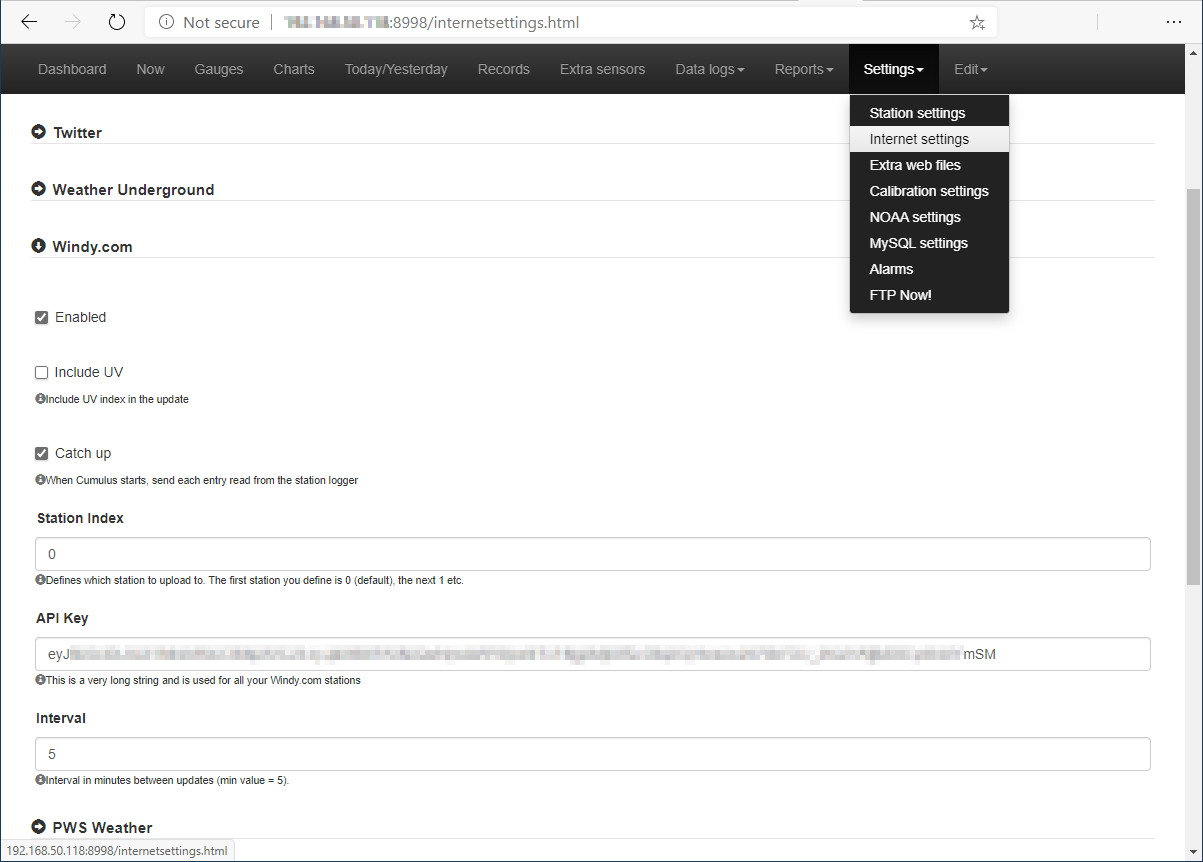
- Scroll down to the Windy.com entry and click the arrow to expand it.
- Tick Enabled, optionally select Include UV, at this moment will be not displayed on web, but will be saved.
- The Catch up option sends historic data for any gap if Cumulus is shut down and restarted. This is only applicable if you have a station with a data logger.
- Set the Station ID, for most people with one station this will be the default value of zero.
- Enter the API key, be careful to include it whole.
- Set the Upload Interval, this has a minimum value of 5 minutes.
- Scroll to the bottom of the page and click Save.
Author: TomSlavkovsky